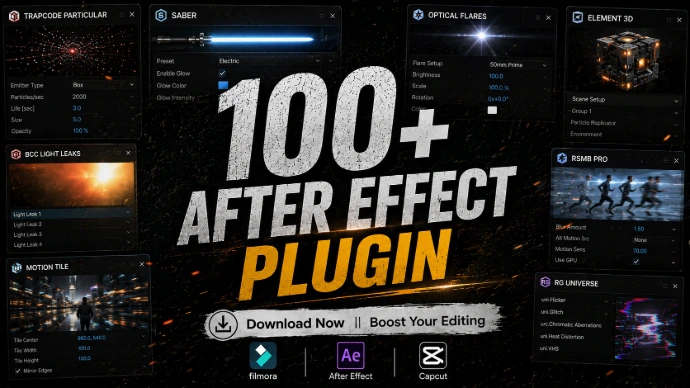
100+ After Effects Plugins
Powerful plugins to speed up your workflow and level up your visual effects.
Full Description
Take your motion graphics and visual effects to the next level with our collection of 100+ After Effects plugins. From animation tools and visual effects to transitions, text effects, particles and workflow enhancements, these plugins are designed to help creators work faster and build more professional-looking projects.
Whether you're creating YouTube videos, cinematic edits, motion graphics, logo animations, social media content, promotional videos, music videos or visual effects, the right After Effects plugins can save time and give you more creative control.
Explore a growing collection of After Effects plugins and tools that can help simplify complex tasks, enhance your animations and add professional visual effects to your projects. Instead of creating every effect manually, use the right plugin to speed up your workflow and focus more on creativity.
Discover powerful After Effects plugins and find the tools you need to create better animations, visual effects and motion graphics.
🎨 After Effects Plugin Types
Animation Plugins
Create smoother and more advanced animations with tools designed to simplify keyframes, movement and motion design.
Transition Plugins
Build dynamic scene changes and professional transitions without having to create every movement manually.
Text & Typography Plugins
Enhance titles, captions and typography with advanced text animation tools and creative effects.
Visual Effects Plugins
Add creative visual effects, distortions, stylized looks and other enhancements to your compositions.
Particle Plugins
Create detailed particle systems, sparks, dust, explosions and atmospheric effects for cinematic projects.
Motion Graphics Plugins
Speed up your motion design workflow with tools for creating shapes, animations, graphics and dynamic compositions.
Color & Look Plugins
Enhance the visual appearance of your footage with color adjustments, stylized looks and creative grading tools.
3D & Lighting Plugins
Add depth, lighting and three-dimensional elements to your After Effects projects.
Glitch & Distortion Plugins
Create digital glitches, distortions and futuristic effects for gaming, technology and modern video content.
Workflow & Utility Plugins
Save time with useful tools designed to simplify repetitive tasks and improve your After Effects workflow.
🔥 Trending After Effects Plugins
Explore Popular Plugin Categories
Discover popular After Effects plugins used for animation, motion graphics, visual effects and creative video editing.
Popular categories include:
Animation Plugins
Transition Plugins
Text Animation Plugins
VFX Plugins
Particle Plugins
Motion Graphics Plugins
3D Plugins
Lighting Plugins
Glitch Plugins
Utility Plugins
⭐ Perfect For
These After Effects plugins can be useful for:
YouTube Videos
YouTube Shorts
Instagram Reels
TikTok Videos
Motion Graphics
Cinematic Videos
Visual Effects
Logo Animations
Text Animations
Gaming Videos
Music Videos
Movie & Trailer Edits
Promotional Videos
Social Media Content
Commercial Projects
🚀 Why Use After Effects Plugins?
Creating complex visual effects and animations from scratch can take hours. The right plugins can simplify complicated workflows, provide ready-to-use creative tools and help you achieve professional results more efficiently.
Whether you're working on a simple YouTube video or a detailed motion graphics project, plugins can expand the creative possibilities available inside Adobe After Effects.
💻 Compatible With
These resources are designed for Adobe After Effects, but compatibility can vary depending on the individual plugin.
Before downloading any plugin, check:
After Effects version
Windows / macOS compatibility
Required dependencies
Plugin format
Installation requirements
Note: Not every plugin works with every version of After Effects. Always check the individual plugin's requirements before installation.