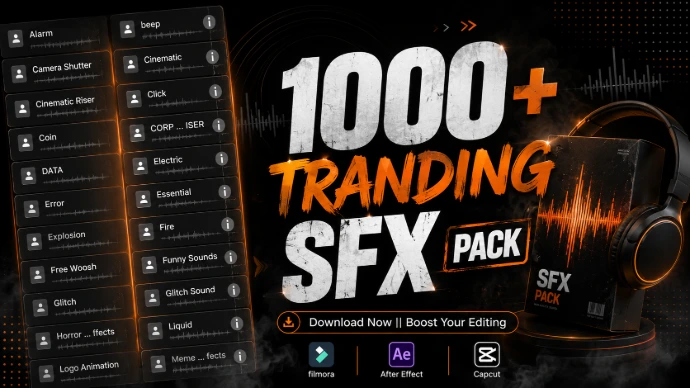
Powerful sound effects to make every edit more immersive.
Full Description
Take your video editing to the next level with our collection of trending SFX packs for video editing. From cinematic impacts and powerful hits to whooshes, risers, glitches, ambience and creative sound effects, these audio assets are designed to add energy, emotion and realism to your videos.
Whether you're creating YouTube videos, YouTube Shorts, Instagram Reels, TikTok videos, gaming content, cinematic projects, travel videos, vlogs or promotional content, the right sound effect can make your visuals feel more engaging and professional.
Our SFX packs bring together carefully organized sound effects that you can use for transitions, text animations, motion graphics, scene changes, action sequences and important moments in your videos. Instead of searching for individual sounds every time you edit, download a complete pack and keep your favorite effects ready for your next project. Choose a trending SFX pack, download the sounds you need, and give your edits the audio impact they deserve.
🎧 SFX Pack Types
Cinematic SFX Pack
Powerful impacts, dramatic hits, risers and atmospheric sounds designed for cinematic storytelling and professional video edits.
Whoosh & Transition SFX Pack
Fast and smooth whoosh sounds perfect for transitions, camera movements, text animations and quick scene changes.
Impact SFX Pack
Heavy hits, punches and impact sounds that help emphasize reveals, cuts, titles, movements and dramatic moments.
Glitch SFX Pack
Digital glitches, distortions and electronic sounds for gaming, technology, futuristic content and modern video edits.
Riser & Build-Up SFX Pack
Tension-building sounds designed to create anticipation before reveals, transitions, drops and important moments.
Bass & Boom SFX Pack
Deep bass hits and powerful booms that add weight and intensity to cinematic scenes, gaming videos and dramatic edits.
Gaming SFX Pack
Energetic interface sounds, impacts, glitches and action effects created for gaming videos, highlights and fast-paced content.
Ambient SFX Pack
Environmental and atmospheric sounds that help create a natural sense of space, mood and immersion.
Action SFX Pack
Dynamic hits, movement sounds and energetic effects for action sequences, sports edits, gaming content and fast-paced videos.
Creative SFX Pack
Unique and experimental sounds for creators who want to add distinctive audio details to their videos and motion graphics.
🔥 Trending SFX Packs
Explore Popular Sound Effect Collections
Discover trending SFX packs for video editing featuring different sounds for transitions, impacts, cinematic moments, gaming edits and creative projects.
Popular pack categories include:
Cinematic SFX Pack
Whoosh SFX Pack
Transition SFX Pack
Impact SFX Pack
Glitch SFX Pack
Riser SFX Pack
Bass SFX Pack
Gaming SFX Pack
Ambient SFX Pack
Action SFX Pack
⭐ Perfect For
These SFX packs and sound effects can be used for:
YouTube Videos
YouTube Shorts
Instagram Reels
TikTok Videos
Gaming Videos
Cinematic Videos
Travel Videos
Vlogs
Music Videos
Movie & Trailer Edits
Motion Graphics
Promotional Videos
Social Media Content
Video Intros
Video Transitions
Creative Video Projects
🎬 Why Use an SFX Pack?
Finding individual sound effects for every edit can take time. An organized SFX pack gives you multiple sounds in one place, making it easier to build your personal sound library.
Use different effects to emphasize movement, enhance transitions, create atmosphere, build anticipation and make important moments stand out.
💻 Compatible With
SFX packs can generally be used with video editing software that supports the corresponding audio format.
Common editing applications include:
Adobe Premiere Pro
Adobe After Effects
DaVinci Resolve
CapCut
Filmora
Final Cut Pro
Other compatible video editing software
Note: Compatibility depends on the actual audio format included in each SFX pack.
How to Use an SFX Pack
01 — Choose Your Pack
Select an SFX pack that matches the style and requirements of your project.
02 — Download
Download the complete sound effect pack and extract the files if necessary.
03 — Import
Import the sounds you need into your preferred video editing software.
04 — Sync With Your Edit
Place each sound precisely with the corresponding movement, transition, cut or visual moment.
05 — Adjust the Audio
Fine-tune volume, timing and other available audio settings so the SFX works naturally with your music and dialogue.