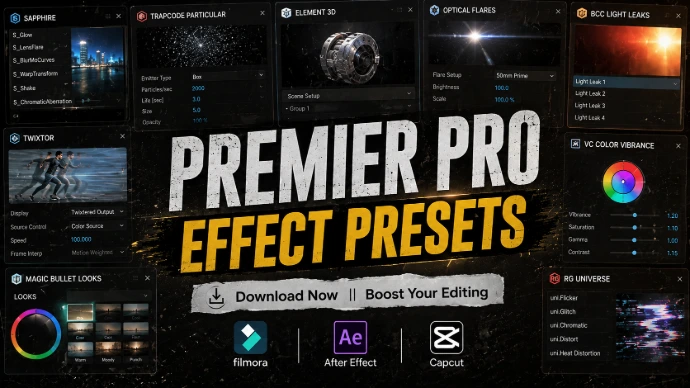
Premier Pro Effect Presets
Create stunning edits with powerful effects for Premiere Pro.
Full Description
Give your videos a more professional and creative look with our collection of Premiere Pro effects for video editing. From cinematic effects and color enhancements to glitch, distortion, blur, light and creative visual effects, these resources are designed to help editors transform ordinary footage into engaging visual content.
Whether you're creating YouTube videos, YouTube Shorts, Instagram Reels, TikTok videos, gaming content, travel videos, cinematic projects or promotional videos, the right Premiere Pro effect can help you enhance your footage and create a stronger visual style.
Explore a variety of Adobe Premiere Pro effects designed for different editing styles and creative projects. Use them to enhance scenes, emphasize important moments, create unique visuals or add professional finishing touches to your videos without building every effect from scratch.
Choose the effects that match your editing style, add them to your project, and take your Premiere Pro editing to the next level.
🎨 Premiere Pro Effect Types
Cinematic Effects
Add dramatic visual treatments, cinematic atmosphere and professional-looking enhancements to your footage.
Color Effects
Enhance colors, contrast and overall visual appearance to create a distinctive look for your videos.
Glitch Effects
Add digital distortion, glitches and futuristic visual elements to gaming, technology and modern video content.
Blur Effects
Create smooth blur effects for backgrounds, transitions, focus effects and creative visual compositions.
Light Effects
Enhance your footage with glowing lights, flashes, lens-style effects and other lighting elements.
Distortion Effects
Transform your footage with creative warping, stretching and digital distortion effects.
Stylized Effects
Give your footage a unique visual identity with creative effects designed for modern and experimental edits.
Sharpen & Detail Effects
Enhance visual detail and clarity when the effect is appropriate for your footage and editing workflow.
Retro & Vintage Effects
Create nostalgic looks with vintage-inspired visual treatments, film-style textures and retro aesthetics.
Creative Video Effects
Experiment with unique visual effects to make your videos more dynamic, memorable and engaging.
🔥 Trending Premiere Pro Effects
Explore Popular Video Effects
Discover trending Premiere Pro effects that can help editors create cinematic, modern and eye-catching videos.
Popular categories include:
Cinematic Effects
Color Effects
Glitch Effects
Blur Effects
Light Effects
Distortion Effects
Vintage Effects
Retro Effects
Stylized Effects
Creative Video Effects
⭐ Perfect For
These Premiere Pro video effects can be used for:
YouTube Videos
YouTube Shorts
Instagram Reels
TikTok Videos
Gaming Videos
Cinematic Videos
Travel Videos
Vlogs
Music Videos
Movie & Trailer Edits
Promotional Videos
Social Media Content
Motion Graphics
Video Intros
Creative Video Projects
🚀 Why Use Premiere Pro Effects?
Creating every visual effect manually can take considerable editing time. Ready-to-use effects can help streamline your workflow while giving you more options for experimenting with different visual styles
Whether you're enhancing a simple YouTube video or creating a cinematic project, the right Adobe Premiere Pro effects can help you create a more consistent and visually engaging edit.
💻 Compatible With
These effects are intended for Adobe Premiere Pro, but compatibility can vary depending on the individual asset and installation method.
Before downloading an effect, check:
Premiere Pro version
Windows / macOS compatibility
Required plugins
Installation method
File format
Additional requirements
License terms
Note: Not every effect or plugin is compatible with every version of Premiere Pro. Always check the individual asset's requirements.
How to Use Premiere Pro Effects
01 — Choose Your Effect
Select an effect that matches the visual style and purpose of your project.
02 — Check Compatibility
Make sure the effect supports your version of Adobe Premiere Pro.
03 — Install or Import
Follow the instructions provided with the individual effect or asset.
04 — Apply to Your Footage
Add the effect to your clip and adjust the available settings according to your project.
05 — Customize Your Look
Fine-tune intensity, timing, color or other available controls to create the desired result.