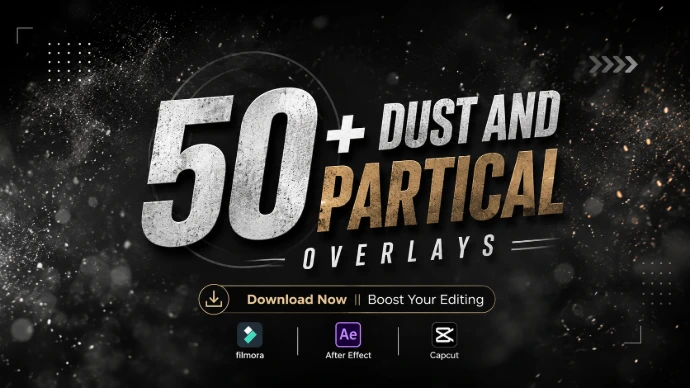
Tranding Dust Partical Overlays
Add depth, atmosphere, and cinematic detail to every frame.
Full Description
Give your videos a more polished and immersive look with our collection of trending shadows and video overlays. From realistic shadows and dark atmospheric elements to light leaks, glows, particles, smoke and cinematic overlays, these visual assets are designed to help creators add depth and character to their footage.
Whether you're creating YouTube videos, YouTube Shorts, Instagram Reels, TikTok videos, gaming content, cinematic edits, travel videos or promotional content, shadows and overlays can transform a simple shot into a more engaging visual experience.
Use these ready-to-use video overlays and shadow effects to enhance lighting, create atmosphere, add visual depth or give your footage a distinctive cinematic style. Simply download the asset, place it above your footage in your editing software, adjust the opacity or blending mode when needed, and create the look you want.
Explore trending shadows and overlays designed to make your videos more creative, dynamic and visually engaging.
🎨 Shadows & Overlays Types
Cinematic Shadows
Add realistic dark tones and controlled shadows to create depth, contrast and a dramatic cinematic atmosphere.
Light & Glow Overlays
Enhance your footage with soft glows, colorful lighting and bright visual highlights for a polished look.
Smoke & Fog Overlays
Create mystery, depth and atmosphere with realistic smoke and fog effects for cinematic and dramatic scenes.
Light Leak Overlays
Add warm and colorful light leaks to create stylish, film-inspired visuals and creative scene enhancements.
Shadow Overlays
Create natural-looking shadows and darker visual elements to add dimension and mood to your footage.
Particles & Dust Overlays
Add floating dust, particles and subtle atmospheric details to make static scenes feel more alive.
Lens Flare Overlays
Introduce cinematic light streaks and lens flares to enhance highlights and create a more dramatic visual style.
Spark & Energy Overlays
Add sparks, glowing particles and energetic visual elements to gaming, action and high-energy edits.
Abstract Overlays
Experiment with creative shapes, textures and visual patterns to give your videos a unique appearance.
Film & Texture Overlays
Add subtle film textures, grain and visual imperfections to create a more stylized and cinematic finish.
🔥 Trending Overlay Collection
Explore Popular Visual Effects
Discover a growing collection of trending video overlays, shadow effects and cinematic elements created to help editors add professional-looking visual details to their projects.
Popular types include:
Cinematic Shadows
Black Shadow Overlays
Smoke Overlays
Light Leak Effects
Glow Overlays
Dust & Particle Effects
Lens Flare Overlays
Film Grain
Spark Effects
Abstract Overlays
⭐ Perfect For
These shadows and video overlays can be used for:
YouTube Videos
YouTube Shorts
Instagram Reels
TikTok Videos
Gaming Videos
Cinematic Videos
Travel Videos
Vlogs
Music Videos
Movie & Trailer Edits
Promotional Videos
Social Media Content
Video Intros
Creative Projects
Commercial Video Projects
🖥️ Compatible With
These overlay assets can generally be used with video editing software that supports the corresponding file format and blending/opacity controls.
Common editing applications include:
Adobe Premiere Pro
Adobe After Effects
DaVinci Resolve
CapCut
Final Cut Pro
Filmora
Other compatible video editing software
Note: Specific compatibility depends on the individual asset's file format and technical requirements.
🎬 How to Use Dust and Partical Overlays
01 — Choose Your Effect
Find a shadow or overlay that matches the style of your video.
02 — Download
Download the asset you want to use in your project.
03 — Add to Your Timeline
Import the overlay into your preferred video editing software and place it above your footage.
04 — Adjust the Look
Change opacity, position, scale or blending settings when supported to achieve the desired visual effect.